Free AI skills for cleaning companies.
A skill is one file. Use it in ChatGPT, Claude, Gemini or any AI chat, and it does a full job for your business with your real details.
- Download the skill file. It's free: we ask for your email once.
- Open ChatGPT, Claude, Gemini or any AI chat, and start a new chat.
- Attach the file with the + or paperclip button. If your AI won't take files, open the file, copy all of its text and paste it into the chat instead.
- Copy the skill's starter prompt below, paste it under the file, fill in the brackets and send.
- Answer its questions with your real details. It never makes up facts.
You need an AI plan with web search and file creation turned on. The skills check live websites and build files for you.
Use them in this order: brand book first, then your website, then links. Each one uses what the one before it made.
AI skill Brand + logo
Brand Book
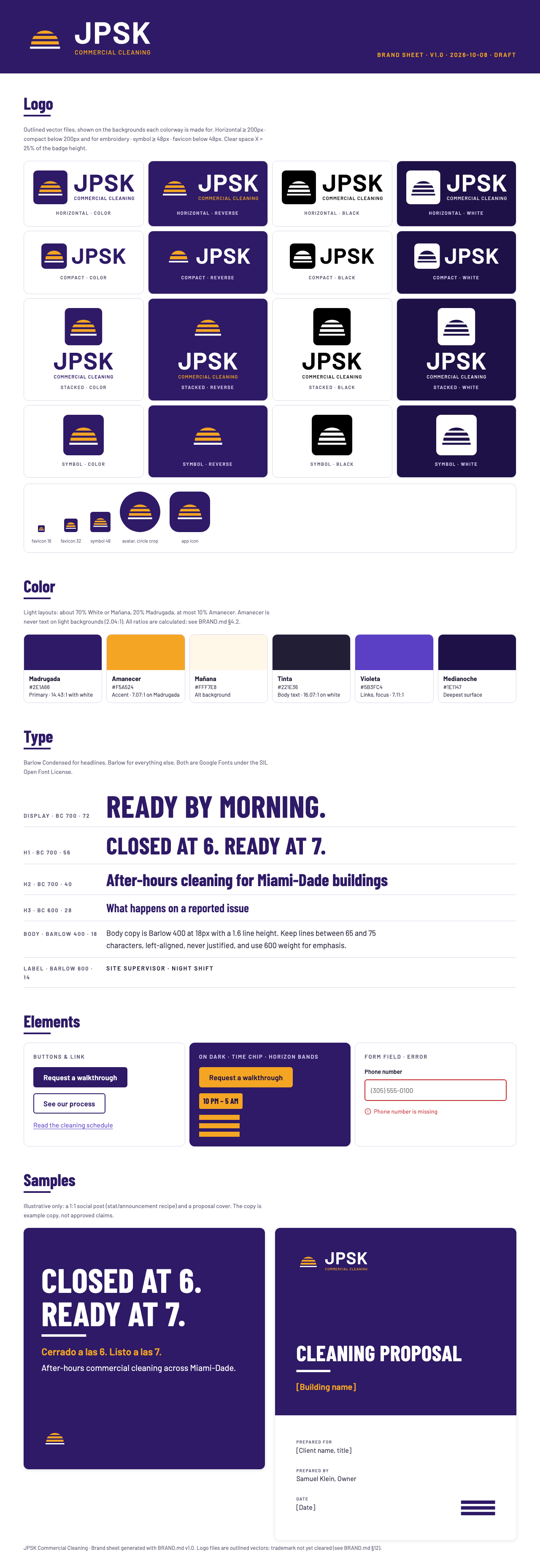
Builds your brand book: your logo, colors and fonts, plus the rules for using them on your website, social posts, proposals, uniforms and vans. Every AI tool you use after this follows the same book, so everything looks like one company.
It never makes up facts. Anything it doesn't know, like your insurance or years in business, it marks as needed instead of guessing. It steers away from house-cleaning looks like brooms, sparkles and bubbles.
Starter prompt: copy and paste it with the file
Use the attached file as your instructions. It's a skill called “Commercial Cleaning Brand Book.” Read all of it before you start, then follow it step by step.

Build the brand book for my commercial cleaning company:
- Business name: [EXACT NAME, AS CUSTOMERS SEE IT]
- Area we serve: [CITIES OR COUNTY]
- Website: [URL, OR “none yet”]
- Current logo: [ATTACHED, OR “none”]

Ask me your questions in one round, then show me three directions before you build anything. If you can't create files, give me the brand book as text and tell me what to name each file.
Make it yours
Have these ready
- Your exact business name, the way customers see it
- The area you serve and your top 3 to 5 services
- The buildings you clean most: offices, medical, schools, and so on
- What you want a buyer to do: request a walkthrough, ask for a quote, or call
- Your current logo, and where it already shows up: vans, uniforms, signs
- Proof you really have: insurance, background checks, years in business, reviews, real photos
- One thing you do that others don't, said as an action (“the same crew every night”), not a word like “reliable”
Then
- Attach the file in a new chat and paste the starter prompt above. It asks up to 10 questions, all at once.
- It shows you three different directions. Pick one, or name the parts you want combined.
- Already have a logo on your vans or uniforms? It improves that logo instead of starting over, because re-wrapping vans costs thousands.
- Anything it doesn't know is marked “NEEDED.” Fill in each one with your real facts. Never let it guess.
- Before you print vans, uniforms or signs, have a sign shop or designer finalize the logo files, and check the name with a trademark search.
- Give the finished brand book to the Website Builder next.
If your AI can create files, you get the logo files directly. If it can only chat, it gives you the text and tells you what to name each file.
AI skill Build your website
Website Builder
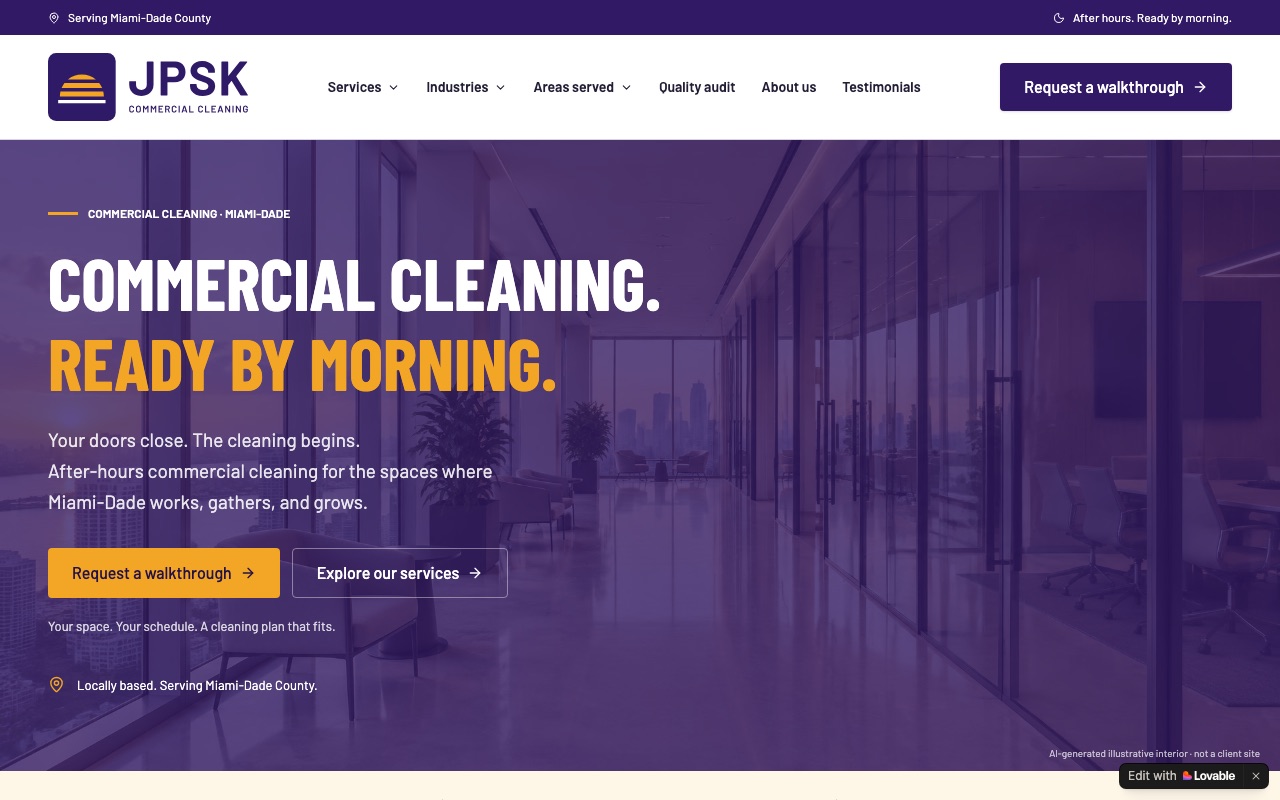
The complete blueprint for a commercial cleaning website: every page buyers check (services, industries, cities, credentials, a quality audit, reviews), the Google and AI-search setup, and a working quote form. It uses your real details and marks anything it doesn't know as “pending” instead of making it up.
Built for Lovable. In Claude, a few Lovable-specific technical steps won't apply as written.
Starter prompt: copy and paste it with the file
Use the attached file as your instructions. It's a skill called “Commercial Cleaning Website Blueprint.” Read all of it before you start, then follow it step by step.

Build the website for my commercial cleaning company:
- Business name: [EXACT NAME]
- Based in: [CITY OR COUNTY]
- Google profile: [LINK, OR “none yet”]
- Brand book: [ATTACHED, OR “I don't have one yet”]

Ask me the buyer questions in one round. Mark anything I haven't confirmed as “Pending owner confirmation”; never make up facts, reviews or numbers.
Make it yours
Have these ready
- Your brand book from the Brand Book skill, or your logo, colors and fonts
- Your company name, home city or county, and your Google profile link
- Answers to the ten questions buyers ask: insurance, background checks and training, who supervises, references, missed visits, what's included, supplies, inspections, monthly price, and contract terms
- Real photos of your crews and jobs
Then
- Open your site builder or AI chat, attach this file and your brand book, and paste the starter prompt above.
- It starts with five common services, five building types and 10 to 15 cities. Delete anything you don't really do or serve, and add what's missing.
- Wherever it writes “Sample” or “Pending owner confirmation,” replace it with your real facts before you publish.
- Swap any AI-made pictures for real photos of your crews and jobs.
- Publish, connect your domain, and add the site to Google Search Console.
AI skill Link building
Local Link Finder
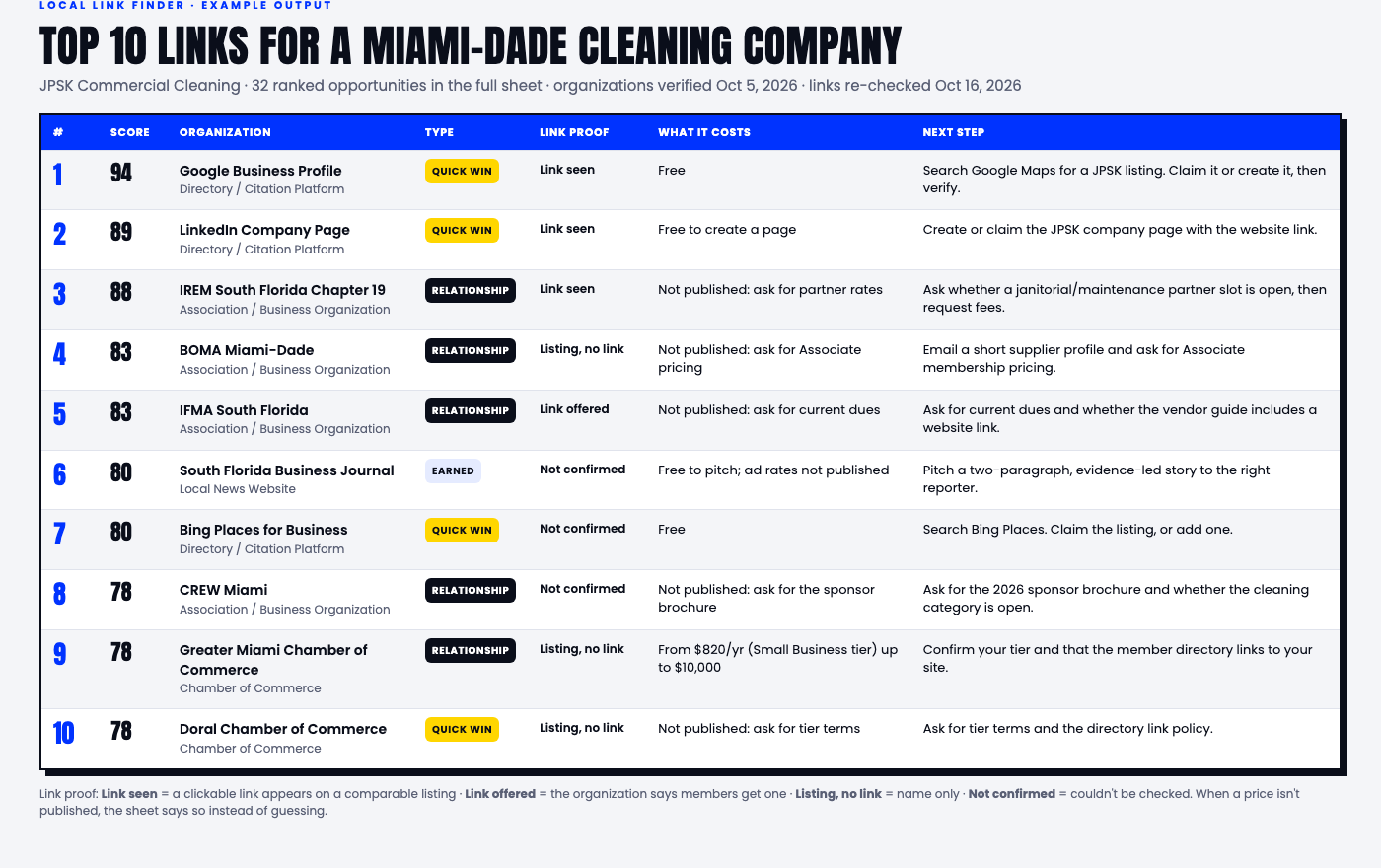
A link-building skill that ranks the top links you can get in your location: chambers of commerce, associations, local news, nonprofits, events and more. For each one you get everything you need to reach out: who to contact, what it costs (dues, sponsorships, fees), what to say, and the next step. You get a ranked Excel file, quick wins first.
It only lists what it can check on live websites. If a price isn't public, it says so instead of guessing.
Starter prompt: copy and paste it with the file
Use the attached file as your instructions. It's a skill called “Commercial cleaning local backlink research.” Read all of it before you start, then run it for my business.

- BUSINESS_NAME: [EXACT NAME]
- WEBSITE: [YOUR WEBSITE, OR YOUR LOCAL PAGE IF YOU'RE A FRANCHISE]
- CANDIDATE_CITIES: [CITY 1, CITY 2, CITY 3]
- COMPETITORS (optional): [UP TO 3 COMPETITOR WEBSITES]

Use web search and check live pages. Give me the ranked Excel file at the end. If you can't create files, give me the results as a table I can paste into Excel or Google Sheets.
Make it yours
Have these ready
- Your exact business name and website. A franchise location uses its local page, not the national site
- The cities you want it to check as your service area
- Optional: 2 or 3 local competitors' websites
- Optional: any SEO tool you already use. None is needed: it can work from web search and labels each number as estimated or measured
Then
- Attach the file in a new chat and paste the starter prompt above with your name, website and cities.
- You get a ranked Excel file. Start with the quick wins at the top.
- Where a price isn't published, call or email and ask. The file tells you who to contact.
- Already a member somewhere on the list? Ask them to add a link to your website from your member listing.
Want a skill installed for good?
In Claude, add the file as a skill. In ChatGPT, upload it to a Project. Don't paste it into a custom GPT's instructions box: it's too long to fit.
More skills are on the way.
Follow me for more: LinkedIn, Instagram and YouTube.